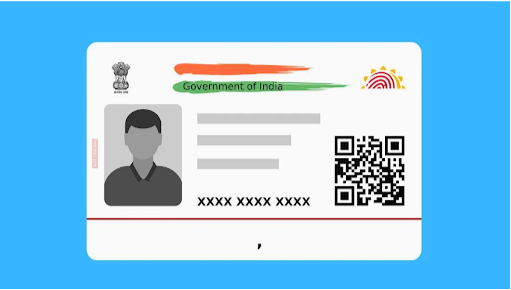
The Aadhar card is a crucial identification tool in India that holds immense significance in availing of various services provided by the government and private institutions. It serves as proof of identity and address, and also contains biometric information. However, one of the common issues that individuals face is the need to update certain details, such as the date of birth (DOB). In this complete guide, we will walk you through the process of how to change Aadhar card date of birth online, ensuring clarity and ease of understanding.
Understanding the Importance of Updating Aadhar Information
Before diving into the procedure, it’s essential to understand why keeping your Aadhar information, especially your date of birth, accurate is important. An incorrect date of birth can lead to issues when applying for a passport, opening a bank account, availing government services, and more. Additionally, in a country with such emphasis on digital identification, having accurate details helps maintain a streamlined process for every individual. how to change aadhar card date of birth.
Who Can Change Date of Birth on Aadhar Card?
The UIDAI (Unique Identification Authority of India) allows individuals to update their date of birth in the following scenarios:
Errors in capturing the date of birth during enrollment.
Changes due to legal reasons like amendments and corrections post-adoption or marriage.
What Documents Are Required?
To change the date of birth on an Aadhar card, you need to provide valid documents as proof. The UIDAI typically accepts the following:
Birth Certificate issued by the government.
School leaving certificate.
Passport.
Or any other valid document that includes your date of birth and is issued by a government organization.
Step-by-Step Guide on How to Change Aadhar Card Date of Birth Online
Step 1: Visit the UIDAI Website
To initiate the process, you must first visit the official UIDAI website at uidai.gov.in.
Step 2: Locate the ‘Update Aadhar Details’ Section
On the homepage, navigate to the ‘My Aadhar’ tab. Click on ‘Update Aadhar Details (Online)’ from the dropdown menu. This will direct you to the Aadhar update portal.
Step 3: Enter Your Aadhar Number
You will be prompted to enter your 12-digit Aadhar number. Fill this in accurately and click on the ‘Send OTP’ button. An OTP (One Time Password) will be sent to the registered mobile number linked to your Aadhar.
Step 4: Verify OTP
Enter the OTP received on your mobile number to verify your identity. This step ensures that only you can make changes to your Aadhar information.
Step 5: Choose the Information to Update
Once you’ve verified your OTP, you will be directed to a new page where you can select the “Change Date of Birth” option.
Step 6: Upload Required Documents
You’ll now be required to upload scanned copies of the documents you have chosen to support your DOB change request. Ensure that these documents are clear and readable, or the request might be rejected.
Step 7: Submit Your Application
After uploading the necessary documents, review your application to ensure all details are entered correctly. Once satisfied, submit the update request.
Step 8: Acknowledgment and Reference Id
Upon submission, you will receive an acknowledgment slip that includes a request number (or URN – Update Request Number). Keep this number safe, as it will be used to track the status of your application.
Step 9: Track Update Request Status
You can track the status of your Aadhar update request by visiting the UIDAI website. Navigate to the ‘Check Aadhar Status’ section, enter your URN, and follow the prompts to see the current status.
How to Download Aadhar Card After Update
Once your date of birth change has been approved, you may want to download the updated Aadhar card. Here’s how you can do that: How to Download Aadhar Card:
Step 1: Visit UIDAI Website
Go to the official UIDAI site.
Step 2: Navigate to the Download Aadhar Section
Under the “Aadhar Services” tab, click on “Download Aadhar.”
Step 3: Enter Required Details
You will need to enter your Aadhar number or Enrollment ID, along with the OTP sent to your registered mobile number.
Step 4: Download the PDF
After verifying your details and entering the OTP, you will be provided with a link to download your Aadhar card. The Aadhar card will be in PDF format, which can be password-protected (the password is the first four letters of your name in uppercase, followed by your birth year).
Step 5: Print Your Aadhar Card
After downloading, you can print your Aadhar card for physical use. It’s advisable to keep both a digital copy and a printed version safely.
Common Issues and Troubleshooting
If you encounter difficulties during this process, such as:
OTP not received
Requested documents not being accepted
Delay in processing your update
The best course of action is to reach out to UIDAI customer support through their helpline or visit your nearest Aadhar Enrollment Centre for personal assistance.
Conclusion
Changing your date of birth on your Aadhar card is a straightforward process when done online through the UIDAI portal. By following the steps outlined in this guide, you can ensure that your Aadhar card reflects accurate and up-to-date information. Maintaining correct details is not just about compliance; it’s about ensuring seamless access to services that the government and private entities provide. If you have any more questions or need further assistance, do not hesitate to engage with UIDAI’s resources or customer support.
This complete guide aims to make your Aadhar update process smooth and efficient. Remember, keeping your Aadhar details updated is essential for ensuring a hassle-free experience with identity verification in India.